
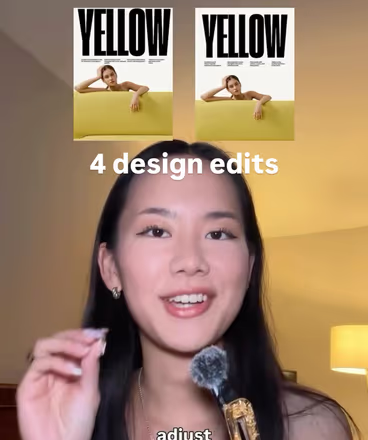
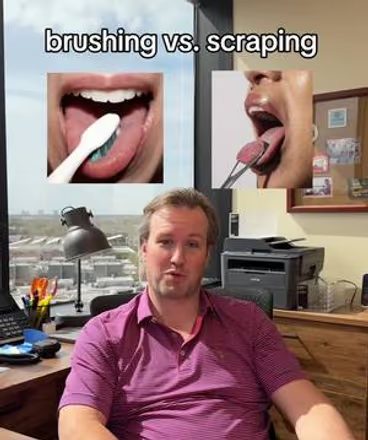
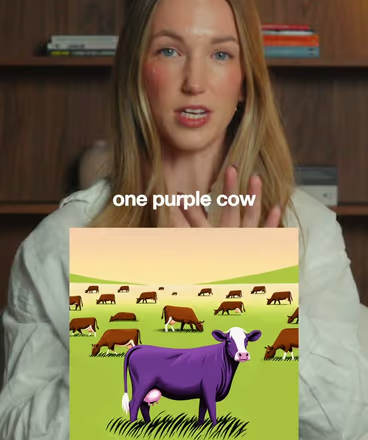
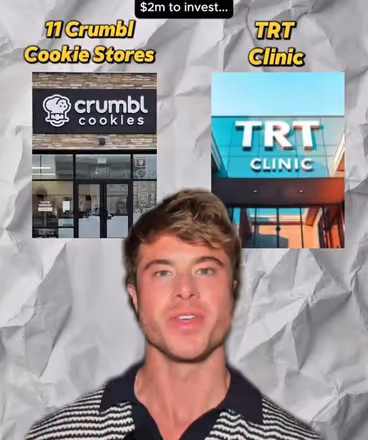






Talk to camera. Show the point.

Learn to Graphic Yap
This Weekend

Talk to camera while the graphics on screen make the point. One training, three formats with a walkthrough for each, and the framing that keeps it all readable.

All you need is:
  • An iPhone
  • CapCut
  • A few images
Join the waitlist

Opens at $97 $197

  • @justbobbidotcom
  • @hansloreidesign
  • @joycethedentist
  • @kevin_zych
  • @cryptocomix
  • @rourke.heath
  • @jason_swet
  • @bykatiecline

From the team behind 3,000+ Cut30 students.

Talking is easy.
Holding attention isn’t.

You hit record, say something smart, and the video dies in the first three seconds. A face and captions alone need a lot of charisma to hold a scroll, and most of us would rather not bet on it.

The graphic yap fixes that. You still talk to camera, so people hear from a real person, while the images on screen compare, prove and explain the point as you make it.

  1. Posted a talking-head video that nobody finished?
  2. Not sure where graphics go without covering your face or captions?
  3. No idea how many visuals a one-minute video needs, or where to find them?
  4. Think it takes motion graphics skills and hours in an editor?
Stop waiting

Stop talking to nobody.
Show the point.

The graphic yap is the format for explainers, expertise and takes on what your niche is talking about. Your face builds trust. The graphics hold attention and make the idea land.

Graphic Yap 101 gives you the setup, three framing layouts to copy and three proven formats, so your next explanation is one people watch to the end.

Join the waitlist
Course curriculum

1 Training. 3 Formats.
One Weekend.

Watch the training once, then make one format at a time. Every homework has a walkthrough, two reference videos, a hook and an outline, so you always know what to script, film and put on screen next.

Module 01Start Here
  • What your first finished graphic yap should look like, and which format to start with
  • Script, record and add graphics: pairing every line with a visual, then building the edit
  • BONUS: Hook list swipe file
Module 02Tactical Training
  • Why a plain yap stopped working, and what graphics add
  • The phone, light and mic setup
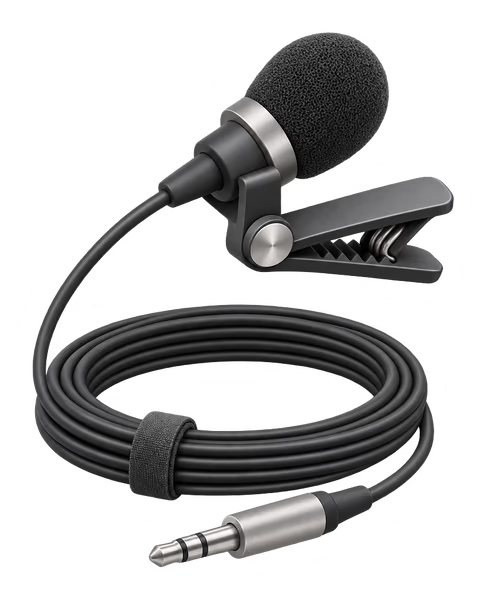
  • Recording line by line from a script, then cutting the pauses
  • Three framing layouts for your face, captions and graphics
  • How long to go, and how often to change the visual
  • Adding overlays in CapCut and Edits, on your phone or desktop
  • Where to find images, and when to pay for stock
Module 033 Formats, 3 HomeworksStart posting
  • HW1: Comparison
  • HW2: This or That
  • HW3: Concept Explainer
  • Watch once

    The graphic yap training

    Setup, framing, pacing and the overlay edit, in under ten minutes.

  • Then film

    Three formats

    A walkthrough, two reference videos, a hook and an outline for every homework.

  • Bonus

    Hook list swipe file

    Fill-in-the-blank openers to start each graphic yap.

Who’s behind Graphic Yap 101

Built By The Creators
Behind Cut30.

Portrait of Alex Garcia, Cut30 coach behind Graphic Yap 101

Alex Garcia

Founder of House of Distribution, turning brand world-building and content strategy into repeatable systems.

Portrait of Oren John, Cut30 coach behind Graphic Yap 101

Oren John

Creative director and cultural analyst breaking down brands, aesthetics, and why the internet moves.

Portrait of Colin Landforce, Cut30 coach behind Graphic Yap 101

Colin Landforce

Entrepreneur, brand builder, and creator translating attention into practical systems people can use.

  • Over 3,000 students taught in Cut30 programs
  • Working creators, not teachers. Every coach still posts
  • Built from the graphic yap module of the Cut30 bootcamp
  • Two real reference videos for every format, broken down
Is this for me?

Graphic Yap 101
Is For You If…

  • You know your stuff and want to explain it on camera
  • Your talking-head videos aren’t holding attention
  • You make explainers, tips or takes on what’s happening in your niche
  • You run a business with ideas worth teaching
  • You’re willing to take action and post consistently
  • You want a format you can make with a phone and a free editor
  • You’re already posting graphic yaps that perform
  • You’re looking for overnight success without putting in reps
  • You don’t want to be on camera at all
  • You want theory without execution
  • You want motion design or After Effects training
  • You think you can figure this out “later”
FAQ

Your Questions
Answered.

Do I need prior video editing experience?

No. The course starts from zero and shows the overlay edit step by step in CapCut and Edits, both free.

Do I need design skills to make the graphics?

No. A graphic yap uses images, screenshots and short clips, not motion design. The training covers where to find them and how to size them for a phone screen.

Do I need a camera or expensive equipment?

No. Your iPhone is enough. The training covers the light and mic worth adding, and both are optional.

What’s the difference between a yap and a graphic yap?

A yap is you talking to camera with captions. A graphic yap adds images and clips on screen while you talk, so the visuals hold attention and make the point clearer.

How long does the course take?

The training is under ten minutes. Then it’s one homework at a time: three formats, each with a walkthrough. Most people can finish their first graphic yap the same weekend.

Where do I take the course?

In the Cut30 student app at app.cut30.co. You get access as soon as you buy.

Do I get access to updates?

Yes. Lifetime access includes all future updates to the course.

How is this different from Cut30?

Cut30 is our 30-day bootcamp covering every short-form video format with live coaching. Graphic Yap 101 is a self-paced course on one format, the graphic yap. Think of it as a deep dive vs. a broad overview.

Graphic Yap 101

Opening soon.
Get first access.

Graphic Yap 101 opens at $97 (usually $197). Join the waitlist and you’ll be first to hear when the doors open.

Get signup updates and Cut30 tips and offers by email. Unsubscribe anytime.